Best Digital Photo Frames for Seniors


Finding the best digital photo frame for seniors can make a real difference for older adults who want to enjoy family photos without dealing with complicated apps, small phone screens, or printed albums that quickly go out of date. A good frame should be simple to set up, easy to read, and convenient for children or grandchildren to update from anywhere.
In this guide, we compare each digital photo frame for seniors based on ease of use, screen quality, sharing options, storage, and overall value. Whether you are buying for a parent, grandparent, or another older loved one, these picks are meant to help families stay connected in a way that feels warm, practical, and easy to enjoy every day.
Table of Contents
Quick Answer
If you want the best digital photo frame for seniors overall, the Skylight Frame is the strongest pick. It is the easiest option here for most families because it offers a 10 inch touchscreen, simple app or email sharing, and no required subscription for basic photo sending. It also has a gift mode, which makes it especially appealing when buying a digital photo frame for seniors as a present for a parent or grandparent.
For shoppers who want the best value, the 32GB Frameo 10.1 Inch Smart WiFi Digital Photo Frame stands out. It gives you app-based photo sharing, strong storage flexibility, and more customization than simpler frames. That makes it a good digital photo frame for seniors when family members want to send photos often and do not mind a setup process that is a little more hands-on. Frameo also keeps core sharing features free, while some advanced extras sit inside Frameo.
For more thoughtful ways to stay connected and share meaningful moments, see Valentine’s Day Gifts for Seniors: Thoughtful, Practical & Meaningful Ideas That Truly, Valentine’s Day Ideas for Seniors: Meaningful Ways to Celebrate Love at Any Age, and Low-Key Valentine’s Day Ideas for Older Adults (Simple, Cozy and Meaningful).
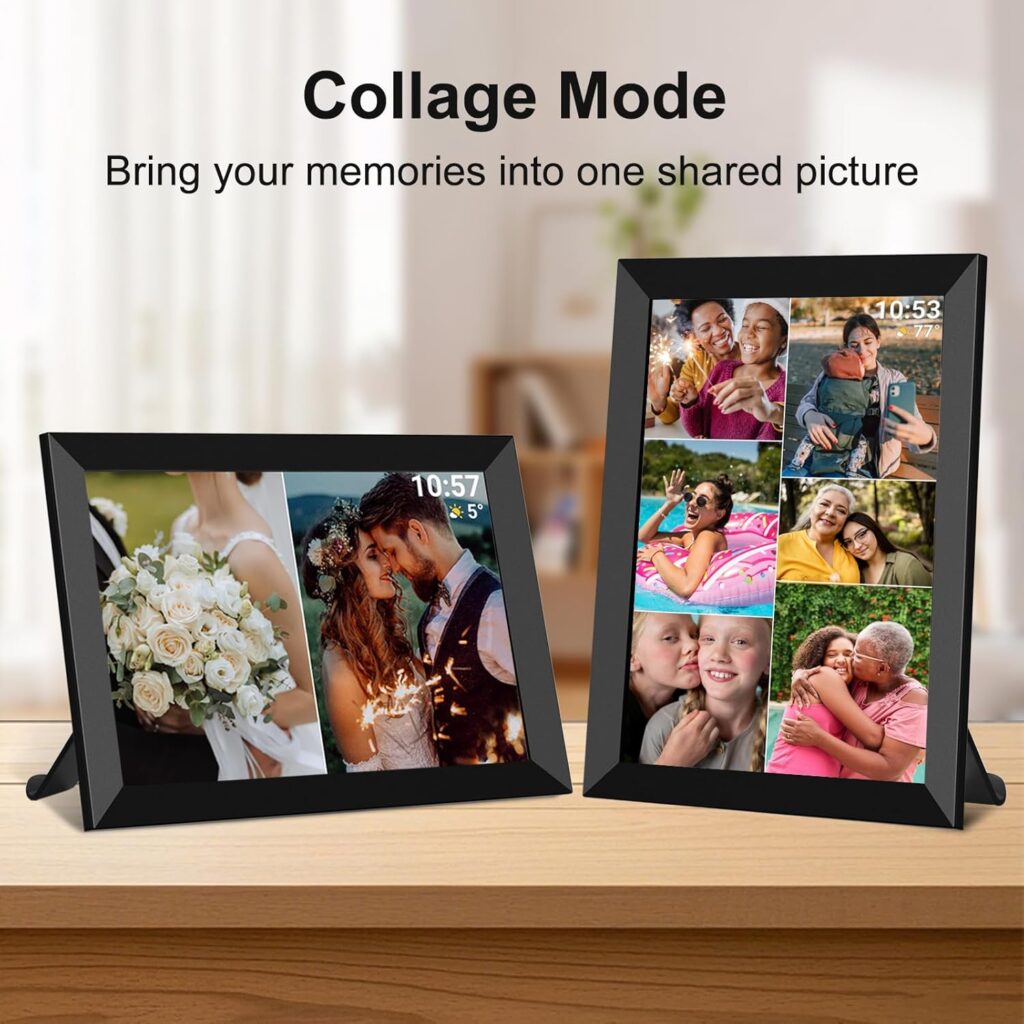
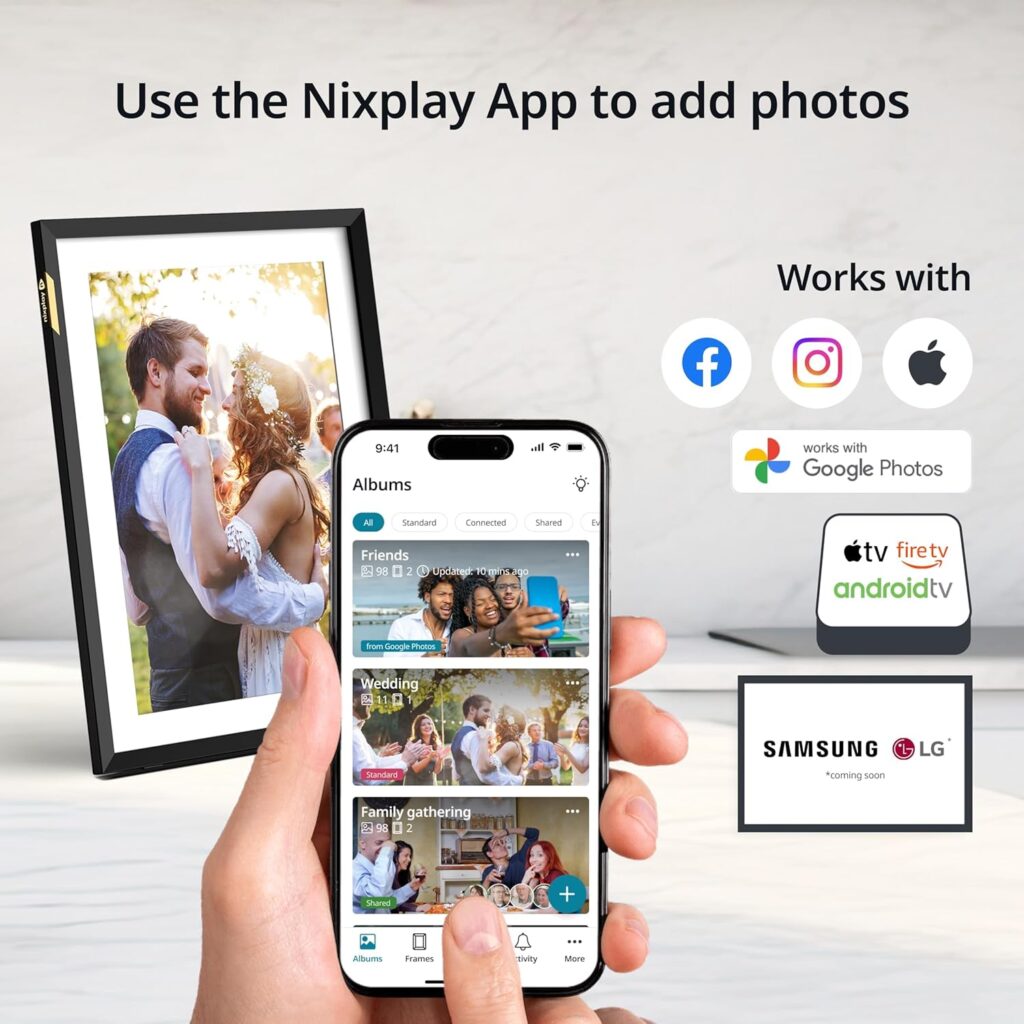
If you want a more premium digital photo frame for seniors, the Nixplay AI-Enhanced Digital Picture Frame is the better fit. Its 10.1 inch touch screen, 1280 x 800 display, upload options through mobile, desktop, and email, plus gifted-frame preloading and remote settings support make it a strong choice for families who want more control from a distance. Some advanced tools are tied to paid plans, so it is best for buyers who value flexibility more than simplicity alone.
Comparison Table
This comparison table highlights what matters most in a digital photo frame for seniors: easy sharing, clear viewing, simple controls, and how much help a family member may need to give during setup. When choosing a digital photo frame for seniors, the best option is not always the one with the most features. In many homes, the better digital photo frame for seniors is the one that feels easiest to enjoy every day.
| Product | Best for | Screen | Sharing method | Storage | Video support | Subscription needed? | Ease of use |
|---|---|---|---|---|---|---|---|
| Skylight Frame | Most seniors who want the simplest experience | 10 inch touchscreen | App or email | 8GB | Yes, with Plus features | No for basic photo sharing | Very easy |
| 32GB Frameo 10.1 Inch Smart WiFi Digital Photo Frame | Families who want more storage and settings at a lower cost | 10.1 inch touchscreen | Frameo app | 32GB plus microSD support | Yes, short clips | No for core features, optional paid extras | Moderate |
| Nixplay AI-Enhanced Digital Picture Frame | Families who want premium remote sharing and more upload options | 10.1 inch touchscreen | App, email, browser | Cloud based sharing ecosystem | Yes | Some advanced features are paid | Easy |
The feature comparison above is based on official product and platform details. Skylight highlights app and email sharing with no required subscription for basic use, Nixplay lists app, email, and browser uploads with auto-rotation and touch controls, and Frameo promotes smartphone sharing, sleep schedules, captions, reactions, and added Plus features for users who want more tools.
For many families, the best digital photo frame for seniors comes down to one simple question. Do you want the easiest frame for a grandparent to enjoy right away, or do you want a digital photo frame for seniors with more storage, settings, and sharing flexibility for the whole family?
Top Picks Overview
Skylight Frame
For most families, the Skylight Frame is the easiest digital photo frame for seniors because it keeps the experience simple from the start. The brand highlights a 10 inch touchscreen, photo sharing by app or email, no required subscription for basic sharing, and a Gift Mode that lets families preload memories before the frame is given to a parent or grandparent. That makes it a strong fit for older adults who want a digital photo frame for seniors that feels warm, simple, and low stress to use every day.
32GB Frameo 10.1 Inch Smart WiFi Digital Photo Frame
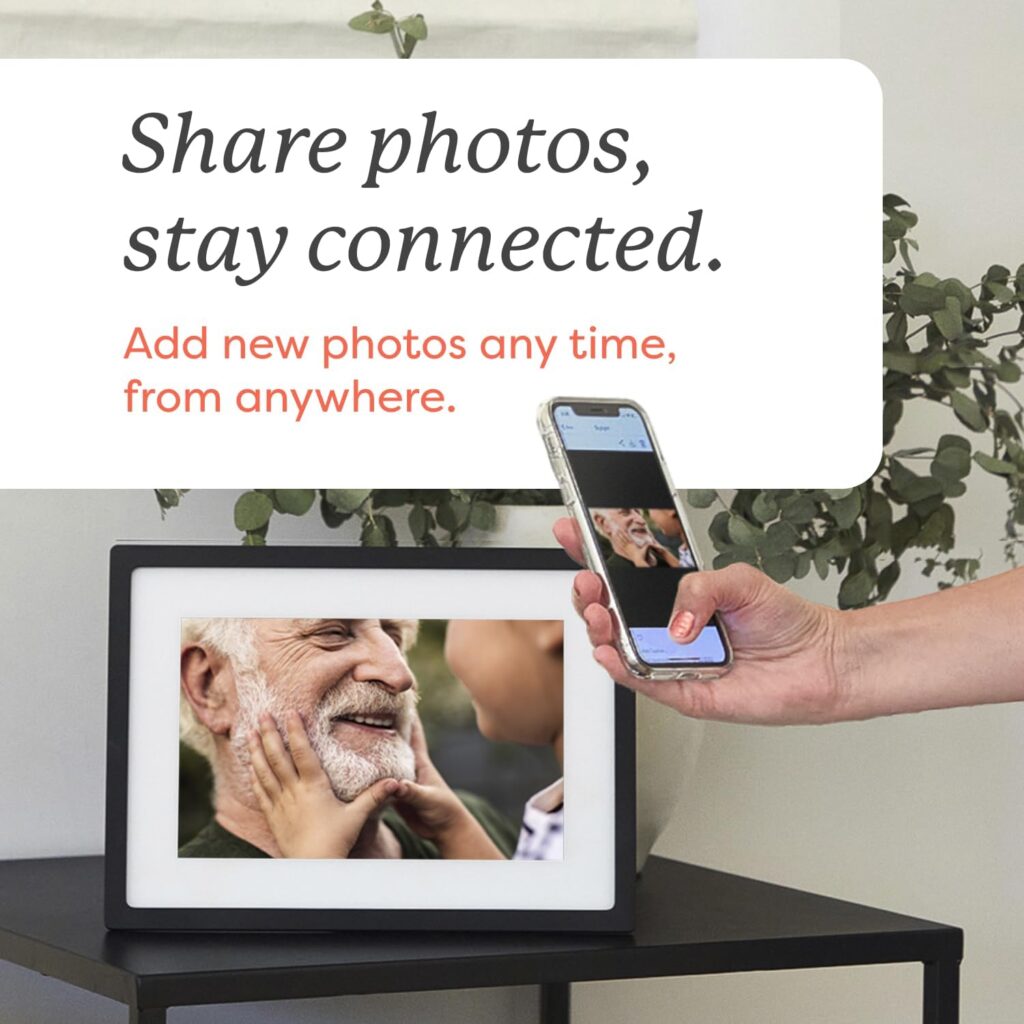
The Frameo option is a better digital photo frame for seniors when value and flexibility matter more than pure simplicity. Frameo focuses on smartphone sharing, free core features, regular updates, sleep schedules, captions, and reactions, while Frameo+ adds extras such as cloud backup, longer videos, and more batch uploads. This makes it a practical pick for families who want more control and storage options, even if it may feel a little less straightforward for a very non technical user.
Nixplay AI Enhanced Digital Picture Frame
The Nixplay frame is the most premium digital photo frame for seniors in this lineup. Nixplay emphasizes touchscreen setup, app, web, and email uploads, auto rotation, gifted frame preloading, cloud storage, and support resources for managing the frame after setup. It is a good match for families who want several relatives to contribute photos and videos easily, especially when a caregiver or adult child plans to handle more of the setup and account side.
Skylight Frame
The Skylight Frame is the best overall digital photo frame for seniors in this guide because it keeps the experience simple for both the older adult and the family members sending photos. Skylight says the frame supports photo sharing through the free mobile app or by email, with no account or subscription required for basic sharing. It also offers Gift Mode, which lets families preload photos before the frame is given, making this digital photo frame for seniors especially appealing for grandparents who may not want to handle setup on their own.
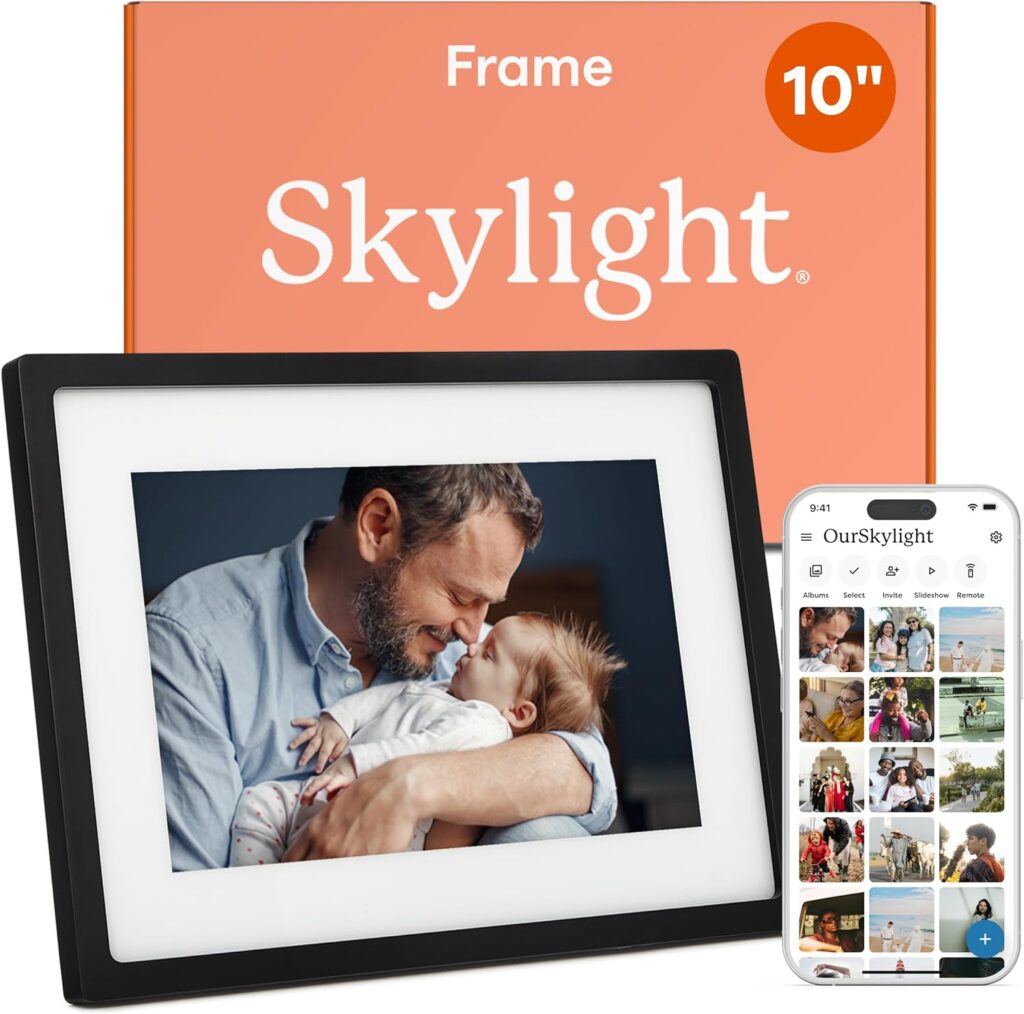
Best for: Seniors who want the simplest remote photo sharing experience.
Why it stands out: This digital photo frame for seniors focuses more on ease of use than on extra settings. The 10 inch touchscreen is built for simple tapping, pinching, and zooming, and the support page notes there is 8GB of memory, enough for more than 8,000 pictures.
Key features: 10 inch color touchscreen, app and email sharing, Gift Mode, offline viewing for photos already stored on the frame, and 8GB of storage.
Pros: Very easy to use, easy for family members to send photos, no required subscription for core sharing, and strong gifting setup.
Cons: New photo uploads still depend on WiFi, and local storage is lower than some higher capacity competitors.
Who should buy it: Families who want a warm, simple frame for a parent or grandparent with as little tech friction as possible.
CTA: If simplicity matters most, this is the digital photo frame for seniors I would put at the top of the shortlist.
32GB Frameo 10.1 Inch Smart WiFi Digital Photo Frame
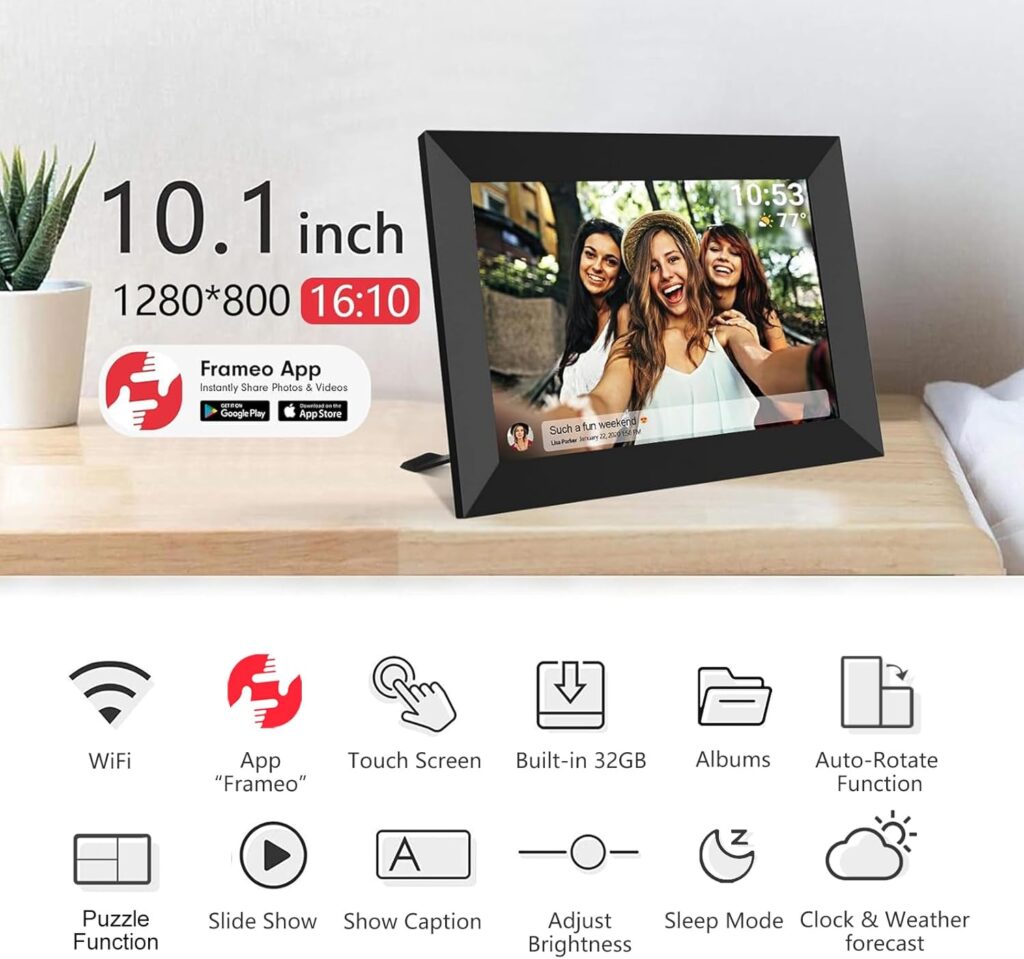
The 32GB Frameo 10.1 Inch Smart WiFi Digital Photo Frame is a strong value pick for families who want a digital photo frame for seniors with more storage and more control. This model highlights a 10.1 inch 1280 x 800 IPS touch screen, 32GB built in memory, auto rotation, a detachable stand, and support for sharing through the Frameo app. The product listing also notes extra display options such as captions, weather, clock, and sleep mode.
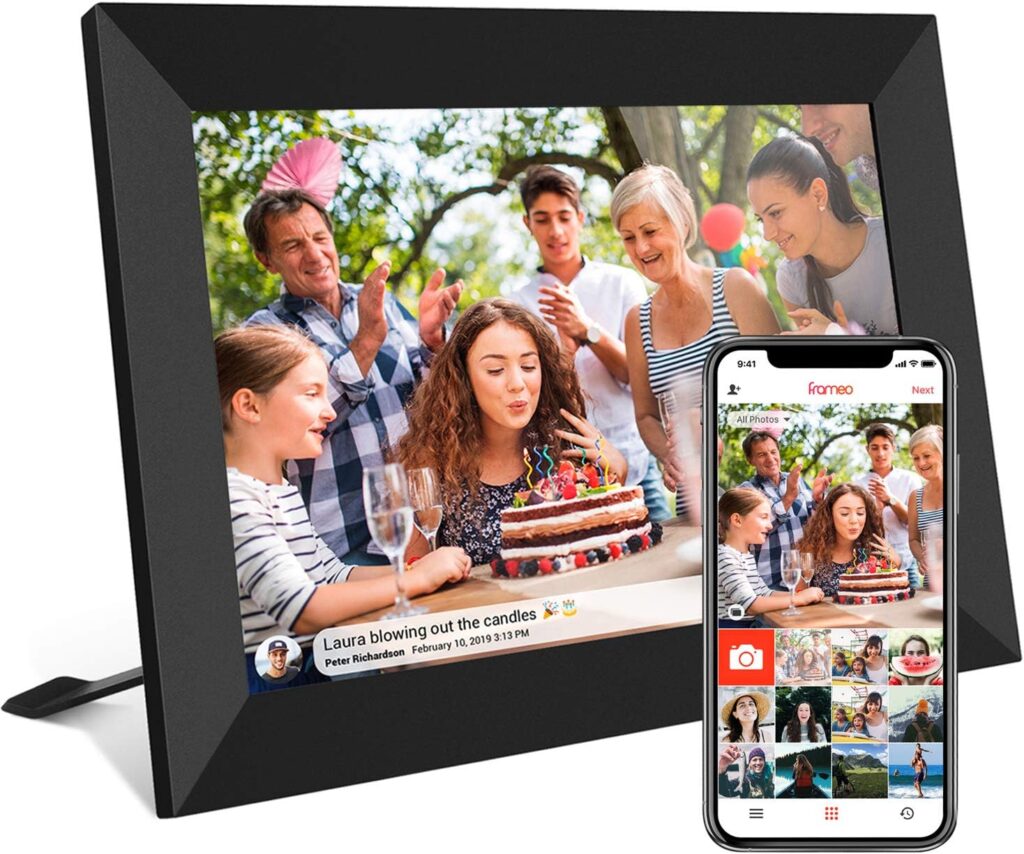
Best for: Seniors and families who want a digital photo frame for seniors with generous storage and flexible settings at a lower price point.
Why it stands out: Unlike simpler frames that focus only on basic photo delivery, this digital photo frame for seniors gives families more room to customize how photos are shown. Frameo also says its platform includes free core sharing features, regular updates, sleep schedules, captions, and reactions, while Frameo+ adds optional extras such as cloud backup and longer video support.
Key features: 10.1 inch touch display, 32GB storage, Frameo app sharing, portrait or landscape viewing, microSD support, sleep mode, and short video support.
Pros: Good value, bigger local storage than Skylight, useful customization, and easy app based sharing for relatives. Cons: This digital photo frame for seniors may feel a little less simple for a very non technical user, especially if the family uses a lot of settings or optional extras.
Who should buy it: Families who want affordable remote photo sharing with more flexibility than a basic frame.
CTA: If storage and value matter most, this is a smart digital photo frame for seniors to keep on your shortlist.
Nixplay AI Enhanced Digital Picture Frame
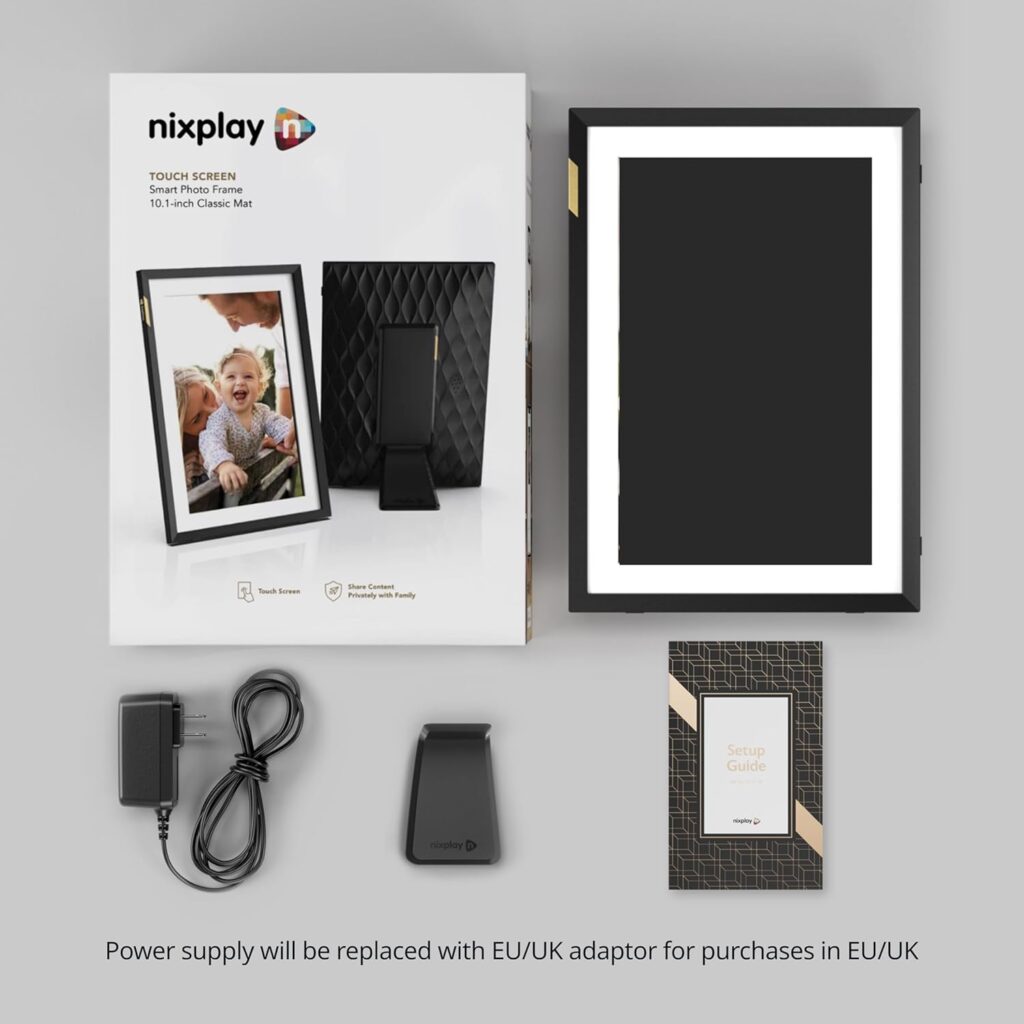
The Nixplay AI Enhanced Digital Picture Frame is the premium digital photo frame for seniors in this guide. It uses a 10.1 inch IPS touch screen with 1280 x 800 resolution, auto rotation, WiFi connectivity, and uploads through the Nixplay app, email, and desktop browser. That wider sharing setup makes this digital photo frame for seniors a strong fit for families where several relatives want to send photos without relying on just one app.
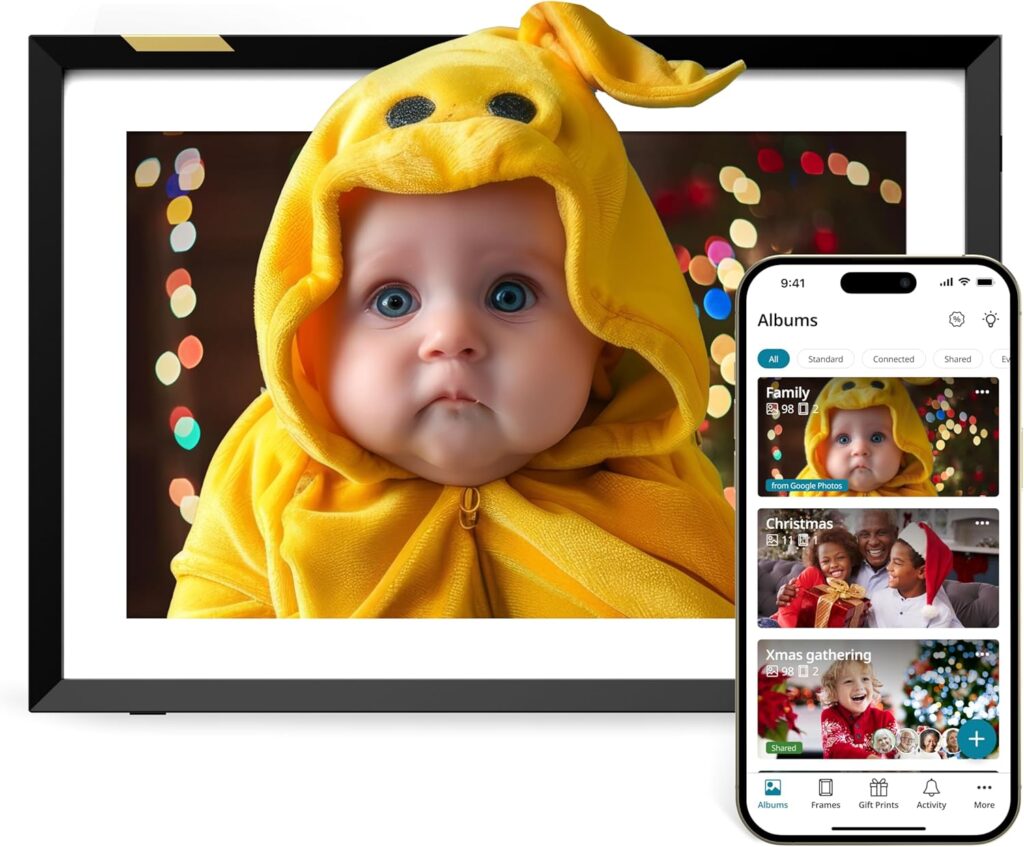
Best for: Families who want a premium digital photo frame for seniors with flexible remote sharing and easier long distance management.
Why it stands out: Nixplay gives families more ways to add and manage content than the other frames in this roundup. The official specs highlight touch controls, a detachable adjustable stand, and automatic portrait or landscape rotation, which all help make the frame easier to place and use in a living room, bedroom, or family space.
Key features: 10.1 inch touch display, 1280 x 800 HD resolution, app, email, and browser uploads, auto rotation, auto on and off support, and adjustable stand design.
Pros: Flexible sharing methods, strong family management tools, clear display, and a polished overall experience. Cons: This digital photo frame for seniors is not the simplest option for every buyer, and Nixplay’s free plan has tighter cloud and video limits than its paid tiers. The current plan comparison shows the free plan includes 500 MB photo storage, 500 MB video storage, and 15 second video clips, while Lite and Plus add more storage and longer videos.
Who should buy it: Families who want a higher end digital photo frame for seniors and do not mind paying more for extra sharing flexibility.
CTA: If you want the most premium digital photo frame for seniors in this lineup, Nixplay is the one to consider.
Key Features to Look for in a Digital Photo Frame for Seniors
Choosing the right digital photo frame for seniors is not only about screen size or price. The best digital photo frame for seniors should feel easy to live with every day, both for the older adult using it and for the family members sending new photos. Looking at the three models in this guide, a few features matter more than anything else.
Easy first time setup
A good digital photo frame for seniors should be simple to set up from the start. That means clear instructions, a quick WiFi connection, and an easy way for family members to begin sending photos. Skylight is especially strong here because it supports setup through the app or email and also offers gift preloading, which can make the frame ready before it is even given to a parent or grandparent.
Simple sharing methods
The sharing method can make or break a digital photo frame for seniors. Some families prefer email because it feels familiar and does not require everyone to learn a new app. Others like app based sharing because it gives them more control. In this roundup, Skylight focuses on app and email sharing, Frameo centers on smartphone app sharing, and Nixplay supports uploads through mobile, desktop, and email.
Clear display and easy controls
A digital photo frame for seniors should also have a screen that is clear enough to enjoy from a chair, sofa, or bedside table. Touch controls matter too, especially for older adults who may prefer tapping the screen over learning complicated menus. Skylight, Frameo, and Nixplay all emphasize touch interaction, which makes them more practical than frames that rely on confusing buttons alone.
Storage, offline viewing, and video limits
Before buying a digital photo frame for seniors, it is smart to look at storage and content limits. Skylight offers 8GB of storage for photos already on the frame, Frameo gives local storage plus optional microSD support on many models, and Nixplay uses a cloud based system with different feature limits depending on the plan. These details matter because they affect how many photos the frame can hold and how easily family members can keep adding new memories.
Subscription and long term value
The last thing to check in a digital photo frame for seniors is whether the best features are free or paid. Some families want the simplest option with no extra monthly cost, while others are comfortable paying for cloud tools, longer videos, or added control. Skylight keeps basic sharing free, Frameo reserves some extras for Frameo+, and Nixplay places higher storage and longer video tools in paid plans.
Digital photo sharing also fits naturally with memory support and mental stimulation, so it makes sense to include Ultimate Guide to Powerful Brain Exercises for Seniors That Actually Work, Proven Ways to Sharpen Your Mind: How to Improve Memory After 60 Naturally, and Valentine’s Day Ideas for Seniors With Dementia
Safety and Usability Considerations for Seniors
A good digital photo frame for seniors should feel easy and comfortable to use in daily life. The best model is not always the one with the most features. In many homes, the right digital photo frame for seniors is the one that is simple to touch, easy to place on a table, and manageable for family members from a distance.
Touchscreen simplicity
For many older adults, a digital photo frame for seniors is easier to use when the screen responds clearly to simple taps instead of relying on small physical buttons. Skylight, Frameo models, and Nixplay all center their experience around touch interaction, which can make basic actions such as viewing photos or opening settings feel more natural.
Stable placement and power access
A digital photo frame for seniors should also sit securely on a shelf, side table, or dresser. Nixplay lists a detachable, adjustable stand, and many Frameo models include a stand with portrait or landscape support. Skylight’s support page also notes that the frame does not run on battery and needs to stay plugged in, so outlet access and cord placement matter when choosing where to put it.
WiFi dependence for new photos
It is important to understand how a digital photo frame for seniors works when the internet goes down. Skylight says existing photos can still be viewed offline, but new uploads require WiFi. That is helpful for seniors because the frame still works as a display, even if family members cannot send fresh photos until the connection returns.
Privacy and remote control
Privacy is another important part of choosing a digital photo frame for seniors. Some families want more remote control so they can help manage content without handling the frame in person. Frameo+ includes cloud backup and remote photo management, while Nixplay also offers family friendly remote sharing tools. That can be useful when a caregiver or adult child wants to help keep the frame organized.
How to Choose the Right Digital Photo Frame for Seniors
The best digital photo frame for seniors depends on what matters most in daily use. Some families want the simplest possible setup. Others want more storage, more settings, or more ways to upload photos from different devices. When comparing each digital photo frame for seniors, it helps to focus on ease of setup, sharing method, and whether the senior will use the frame mostly on their own or with help from family. Skylight highlights quick setup, email and app sharing, and offline viewing for stored photos. Frameo focuses on app sharing, free core features, and extra options like captions, sleep schedules, and weather. Nixplay offers app, email, and web based sharing, plus auto rotation and an adjustable stand.
Choose Skylight if simplicity matters most
Skylight is the best digital photo frame for seniors if you want the easiest experience for a parent or grandparent who does not want to learn much new technology. It is a strong fit when the goal is simple photo enjoyment and low setup stress.
Choose Frameo if value and storage matter more
A Frameo based model is the right digital photo frame for seniors when you want more local storage, more settings, and a lower upfront price. It makes more sense for families who are comfortable using an app and want more flexibility than a basic frame.
Choose Nixplay if your family wants more upload options
Nixplay is a better choice when several relatives want to send photos and videos through different methods. Its app, email, and web options make it a practical premium pick for households that want more remote control and sharing flexibility.
FAQ
Are digital photo frames easy for seniors to use?
Yes, many are. The easiest digital photo frame for seniors usually has a clear touchscreen, simple setup, and an easy way for family members to send photos from far away. In this guide, Skylight stands out for basic app or email sharing, while Nixplay adds app, email, and browser uploads for families that want more flexibility.
Do seniors need WiFi to use a digital photo frame?
Usually, WiFi is needed to receive new photos, but some frames can still display photos already stored on the device when the internet is down. Skylight states that new photos require WiFi, but existing photos can still be viewed offline, which is helpful for any digital photo frame for seniors used in a home with occasional connection issues.
Can family members send photos to a grandparent from another city?
Yes. That is one of the main reasons families buy a digital photo frame for seniors. Skylight allows sharing through the mobile app or email, Frameo focuses on smartphone app sharing, and Nixplay supports uploads through mobile, desktop, and email, which makes remote photo sharing practical for adult children, grandchildren, and caregivers.
Do digital photo frames need a subscription?
Not always. A basic digital photo frame for seniors can often work without a paid plan, but some brands reserve extra tools for subscribers. Skylight says its core sharing does not require a subscription, Frameo keeps free core sharing features and places extras in Frameo+, and Nixplay limits some storage and video features on its free plan compared with its paid memberships.
What size digital photo frame is best for seniors?
For many households, a 10 or 10.1 inch digital photo frame for seniors is a practical sweet spot because it is large enough to enjoy on a table or shelf without taking up too much space. That is also the screen size used by the Skylight, Frameo, and Nixplay options in this roundup, which helps explain why this size is so common for gift friendly home use.
Can digital photo frames play videos too?
Some can, but limits vary. Skylight puts video features inside Skylight Plus, Frameo allows short videos in the free experience and longer options in Frameo+, and Nixplay limits free accounts to short clips while paid plans allow longer video uploads. That is worth checking before buying a digital photo frame for seniors if video sharing matters to your family.
Final Verdict
The best digital photo frame for seniors for most families is the Skylight Frame. It stands out because the setup is simple, family members can send photos by app or email, and basic sharing does not require a subscription. For an older adult who wants to enjoy family photos without dealing with too many settings, this digital photo frame for seniors is the easiest recommendation in this roundup.
If your priority is value, the 32GB Frameo 10.1 Inch Smart WiFi Digital Photo Frame is the better buy. It offers more local storage, useful extras, and a lower entry price than the premium options, while still giving families remote app based photo sharing. This digital photo frame for seniors makes the most sense for households that want more flexibility and do not mind a slightly more hands on setup.
If you want a more premium digital photo frame for seniors, choose Nixplay. Its 10.1 inch touch display, auto rotation, and upload options through app, email, and browser make it a strong fit for families who want more control from a distance. It is not the simplest digital photo frame for seniors, but it is a very good choice for larger families who want flexible sharing and do not mind some paid feature limits.
For broader support with connection, mood, and everyday well-being, you can also include Spending Valentine’s Day Alone as a Senior: Gentle, Meaningful Ways to Feel Connected, How to Help Older Adults With Holiday Blues: Caregiver Steps, Scripts + 7-Day Plan, Powerful Self Care Routines for Seniors That Truly Work (Feel Better Daily), How to Age Gracefully: Proven Strategies for a Vibrant, Stress-Free Life, and Staying Active After Retirement: Brilliant Ways to Stay Happy and Strong.